Home

  • YuanSheng Qinlu Elderly Care Review

    YuanSheng Qinlu Elderly Care Review

    Introduction: Do People Who Made Kids’ Watches Understand What Elders Need?

    元生秦路Z9老年监视器产品

    Recently an interesting player emerged in the eldercare track: YuanSheng Intelligence. Founder Deng Longsheng previously led Xiaotiancui learning tablet products; co-founder Fang Shaojie worked on Xiaotiancui phone watches and Huohuotu; marketing lead Li Ge comes from rehabilitation robotics. This team just secured over 10 million yuan in Pre-A funding, generates nearly one million yuan monthly revenue, and exports products overseas.

    Their Qinlu elderly care monitor’s core selling point is “wear-free, disturbance-free” fall detection. Not cameras constantly recording, but millimeter-wave radar fused with vision-based large model solutions—monitoring through air whether seniors have fallen, whether heart rates are normal, whether breathing is stable. With over 280 million people aged 60+ in China and a massive base of empty-nest seniors living alone, this market is certainly large enough. But the question remains: can a team experienced in children’s products replicate that success in eldercare scenarios?

    Product Overview: Switching Tracks from Kids to Silver Economy
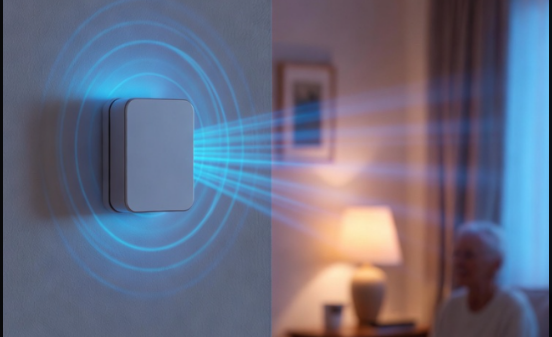
    Millimeter-wave radar elderly care sensor tech
    Millimeter-wave radar elderly care sensor tech

    Qinlu currently has two product lines: the Z9 series and D series. The first Z9 launched in early 2025; in 2026 the fall detection model was upgraded, introducing the D series and refreshed Z9E. Core functions center on three scenarios: fall detection, heart rate and respiration monitoring, and remote care.

    YuanSheng’s supply chain cost control approaches major manufacturer levels, thanks to hardware manufacturing and channel resources accumulated during the Xiaotiancui era. Pricing strategy targets the mid-range—cheaper than professional medical-grade equipment, more expensive than traditional camera solutions, occupying the gray zone between “consumer electronics” and “medical devices.”

    Specifications: Millimeter-Wave Radar Plus Vision Fusion, Achieving Privacy Without Invasion

    SpecDetails
    Detection TechnologyMillimeter-wave radar + vision fusion large model
    Fall DetectionHybrid large model fusion technology
    Heart RateMillimeter-wave radar remote detection
    RespirationMillimeter-wave radar real-time monitoring
    Alert MethodAutomatic family member APP notification
    Target UsersEmpty-nest/solo seniors aged 65+
    InstallationNon-wearable, fixed placement
    NetworkWi-Fi/4G

    Data source: YuanSheng Intelligence official materials

    Millimeter-wave radar’s advantage lies in “perception-free” operation: no devices for seniors to wear, no cameras recording 24/7. Radar waves penetrate clothing to detect body posture changes, with visual modules providing auxiliary confirmation; both feed into large models to determine actual falls. This approach protects privacy better than pure cameras and offers more convenience than wearables—seniors need not remember charging or wearing devices.

    But millimeter-wave radar has limitations: accuracy suffers environmental interference (metal furniture, pet activity), and slow sliding falls are harder to detect than sudden tumbles. YuanSheng’s solution is “hybrid large model fusion,” feeding radar data, visual data, and historical behavior data together into the model to improve recognition accuracy in complex scenarios.

    Deep Analysis: Where Is the Real Demand in Elderly Consumer Electronics

    China’s population aged 60+ exceeds 280 million, with empty-nest and solo seniors comprising an increasing share. Traditional eldercare solutions fall into two categories: professional eldercare institutions (high cost, bed shortages) and remote family monitoring (children cannot stare at phones 24/7). Qinlu targets precisely the middle ground—real-time safety monitoring for home-based eldercare.

    Fall Detection Pain Point: Falls are the leading cause of accidental injury death among seniors over 65. Existing solutions either rely on cameras (privacy invasion, senior resistance) or wearables (forgetting to wear, forgetting to charge). Qinlu’s non-wearable solution addresses both pain points.

    Heart Rate and Respiration Value: Millimeter-wave radar can remotely detect heart rate and breathing frequency, automatically alerting when rates are too low or high. This suits seniors better than smartwatches—no operation needed, no screen to read, with family phones receiving notifications directly when anomalies occur.

    Remote Care Boundaries: Qinlu provides remote viewing, but core logic is “notify only on anomalies” rather than “peek anytime.” This design balances safety needs with privacy respect, making seniors more likely to accept.
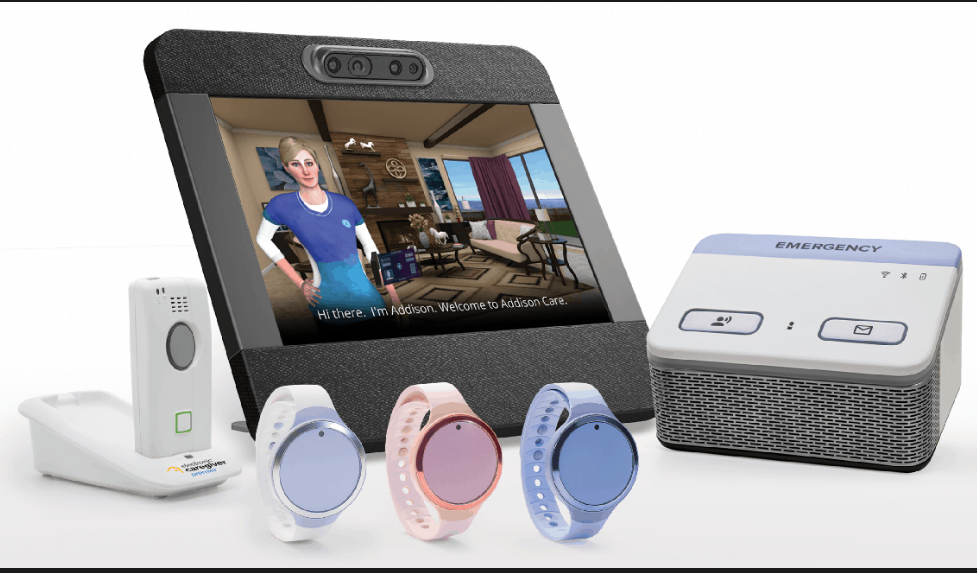
    家居老年监测设备收藏
    智能家居老年监测设备收藏

    Comparison: Qinlu vs Professional Medical Devices vs Consumer Cameras

    FeatureQinlu Z9/D SeriesProfessional Medical MonitorsConsumer Smart Cameras
    DetectionMillimeter-wave radar + visionProfessional sensors + doctor reviewPure visual AI
    PrivacyHigh (radar-primary)Medium (requires contact)Low (continuous recording)
    Ease of UseLow (non-wearable)High (requires professional operation)Low (plug and play)
    PriceMid-rangeHigh (thousands of yuan)Low (hundreds of yuan)
    Alert SpeedReal-time automaticRequires human interventionCloud-dependent delay
    Medical CertificationNoneHas medical device qualificationNone

    Qinlu’s positioning is clear: more accurate and private than camera solutions, cheaper and easier than medical devices. It is not medical equipment but “consumer electronics-grade safety guardianship.”

    Pros and Cons

    ProsCons
    Non-wearable design, high senior acceptanceMillimeter-wave radar affected by environment
    Radar + vision fusion, relatively accurate detectionSlow fall recognition remains challenging
    Privacy-friendly, no continuous recordingNo medical device certification, cannot replace professional diagnosis
    Strong team supply chain, good cost controlLow brand recognition, channel expansion needs time
    Automatic family alerts, timely responseRequires home network environment support

    Who Should Buy

    Recommended for:

    • Families with solo/empty-nest seniors aged 65+
    • Children working remotely needing remote care capabilities
    • Families with privacy concerns about camera monitoring
    • Middle-class families with limited budgets seeking improved senior home safety

    Not recommended for:

    • Chronic patients requiring medical-grade precision monitoring
    • Complex living environments (multiple pets, extensive metal furniture)
    • Families where seniors are extremely resistant to new technology

    FAQ

    Q: How accurate is Qinlu’s fall detection? A: Official specific accuracy data has not been published, but the millimeter-wave radar + vision fusion + large model approach is theoretically more reliable than single-sensor solutions. Recommend testing in your specific home environment before evaluating.

    Q: Can heart rate and respiration data serve as medical reference? A: No. Qinlu is a consumer electronics product, not a medical device. Monitoring data is for reference only and cannot replace professional medical diagnosis.

    Q: What if seniors resist being “monitored”? A: Qinlu is designed with “notify only on anomalies” mode, without continuous recording or daily push notifications, reducing seniors’ sense of surveillance. Recommend thorough communication with seniors before installation.

    Conclusion

    YuanSheng Qinlu’s value lies not in cutting-edge technology but in precisely targeting an overlooked刚需: the “golden rescue window” after elderly falls. The Xiaotiancui team’s experience—understanding user psychology, controlling supply chain costs, building channel networks—unexpectedly translates to eldercare scenarios.

    But eldercare consumer electronics challenges exceed children’s products: senior acceptance of new technology, the disconnect between purchasing children and actual users, and medical compliance boundaries are all hurdles YuanSheng must tackle one by one. The market of 280 million elderly is large enough, but who can truly create products seniors want to use and families feel confident buying remains to be verified by time.

  • Microsoft Project Solara Deep Dive: Your Next PC May Not Need Apps at All

    Microsoft Project Solara Deep Dive: Your Next PC May Not Need Apps at All

    Introduction: Windows Is No Longer Just for Humans

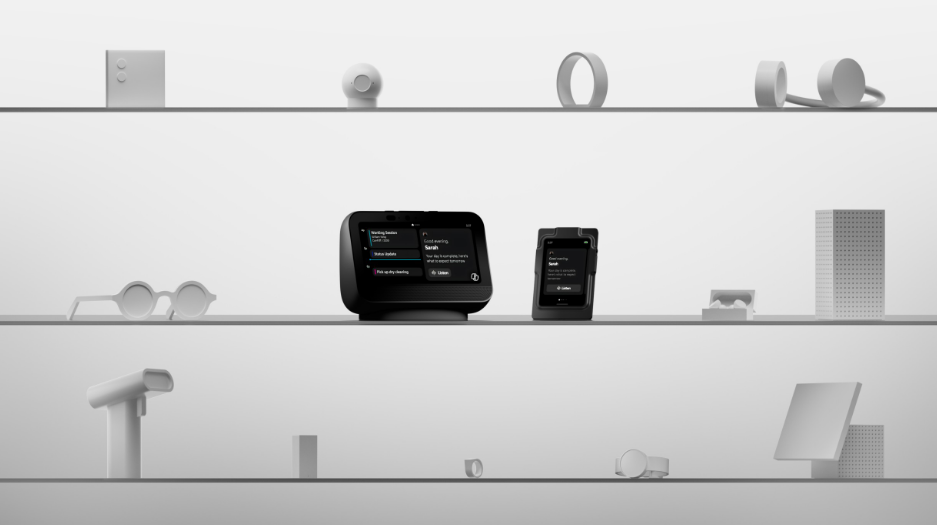
    Microsoft Project Solara AI agent hardware platform showcase
    Microsoft Project Solara AI agent hardware platform showcaseMicrosoft Project Solara AI agent hardware platform showcase

    On June 2, at the Build 2026 developer conference in San Francisco, Microsoft dropped a bombshell: Windows is changing its last name to “Agent.” No longer serving apps, it is becoming the landlord for AI agents. Project Solara, this hardware platform, represents Microsoft’s ultimate answer to “what should the next computer look like”—no keyboard, no mouse, no grid of app icons. You walk up, and the AI agent knows who you are and what you need.

    This is not a concept slide. Microsoft has already produced two reference designs: a desktop terminal resembling a smart speaker, and a wearable digital badge hanging from your chest. Their shared characteristic: you do not need to learn any operations. Just talk.

    Event Details: Full-Stack Reconstruction from OS to Hardware

    Windows Agent Runtime: System-Level Citizenship for Agents

    Windows 11 24H2 will embed Agent Runtime—the “household registration” for agents within the system. Previously, AI assistants were plugins inside apps. Now agents stand equal to users, with their own identity, permissions, and lifecycle. More critically, they can directly tap hybrid compute across NPU, GPU, and CPU without routing through any third-party app.

    Microsoft demonstrated a local meeting minutes agent live: no internet connection, analyzing locally stored Teams recordings within 2 seconds and generating complete summaries. All data stays on device—this is a knockout punch for enterprise users who refuse to upload internal meeting content to the cloud.

    Project Solara Desktop Terminal: Your Dedicated AI Workstation

    Powered by MediaTek chips with minimalist design, no traditional keyboard or mouse. Windows Hello automatically recognizes and logs you in as you approach, immediately connecting to your personal AI agent. It displays daily priorities, accepts voice or tap commands for task delegation, and serves as a companion to Windows PCs or connects to Cloud PC.

    The design logic is clear: it does not replace your laptop but handles what your agent should do when you are away from the desk. Imagine leaving work—the agent continues processing emails, scheduling tomorrow’s meetings on the device, only vibrating for true emergencies.

    Microsoft Scout 企业 AI 代理 Build 2026
    Microsoft Scout 企业 AI 代理 2026 版本

    Wearable Digital Badge: AI Assistant on Your Chest

    This is more radical. Worn on the chest, integrating identity recognition, voice interaction, and haptic feedback. Employees issue voice commands to their agent anytime; the agent confirms completion through vibration, never requiring phones or computers. Picture factory inspections, hospital rounds, or retail floor operations—when both hands are occupied, voice plus vibration becomes the most efficient interaction mode.

    Scout Enterprise Agent: Digital Employee That Never Clocks Out

    Nadella calls it the “enterprise lobster,” because lobsters continuously molt and grow. Built on the OpenClaw framework, Scout operates 24/7, interacting in Teams like a human colleague. It reads emails, checks calendars, processes work messages, automatically completes repetitive tasks, reschedules conflicting meetings, and drafts professional replies.

    Microsoft Corporate VP Omar Shahine put it bluntly: “Your company is essentially hiring your assistant. The whole point of having a personal assistant is that they keep working when you are not.”

    Background Analysis: Why Microsoft Is Betting Big

    Windows dominated the PC market for 40 years but was crushed by Apple and Google in the mobile era. The AI age gives Microsoft a chance to flip the board—if Windows becomes the “best agent execution platform,” the reason users choose Windows shifts from “needing Office” to “needing to run my AI agent.”

    The business model transforms alongside: from one-time software licensing to continuous subscription services. You are not buying Windows; you are buying agent compute power and services.

    Microsoft’s confidence stems from its complete AI ecosystem: Azure cloud services, MAI large models, GitHub developer tools, and Microsoft 365 productivity suite. What was missing was a hardware entry point to bundle and deliver these capabilities to users. Project Solara is that entry point.

    Industry Impact: Giants Racing for Next-Gen Computing Entry

    Microsoft is not the only player betting on AI-native hardware. Google released the Fitbit Air screenless band and Gemini AI glasses in May; Meta cut metaverse budgets by 30% to focus on AI glasses, with the Orion AR prototype already unveiled; Apple is secretly developing screenless Apple Glasses and camera-equipped AirPods; Amazon acquired Bee to enter the AI health wearable space.

    All giants are pursuing the same goal: making AI agents the new operating system, and hardware the body for agents. For 40 years, users learned to use apps. In the future, apps will learn to understand users.

    Follow-Up: Deployment Challenges and Competitive Landscape

    Project Solara remains at the reference design stage, with mass production timelines and pricing yet to be announced. Microsoft must resolve several critical issues: agent reliability (24/7 operation without errors), enterprise data security compliance, and compatibility with existing IT systems.

    More realistic competition comes from Apple. If Apple launches Apple Glasses by end of 2026, leveraging iPhone ecosystem stickiness, users may prefer running agents within their familiar environment rather than migrating to Windows.

    Conclusion

    Project Solara represents a radical vision of the future: computing devices are no longer machines you operate, but employees that work for you. This vision is beautiful, but widespread adoption remains a long road. For Microsoft, this is a do-or-die battle. For the industry, it is Operating System War 2.0. Whoever defines the interaction standards for the agent era will claim the next 40 years.

  • Vidda G11 AI Audio Glasses Review: AI Assistant on Your Ears

    Vidda G11 AI Audio Glasses Review: AI Assistant on Your Ears

    Introduction: Glasses + Earbuds + Voice Recorder, Three-in-One Office Tool

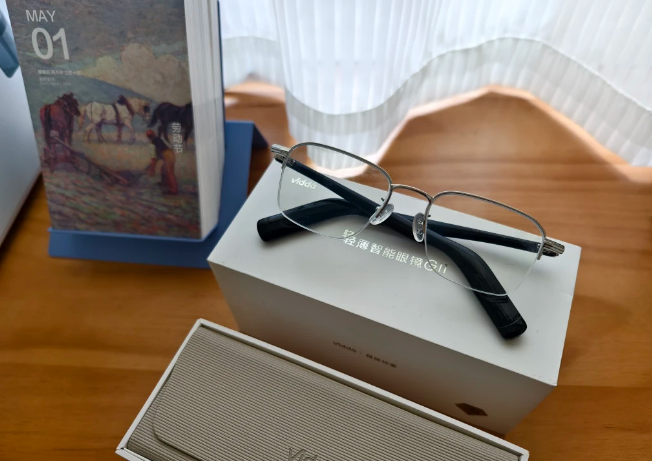
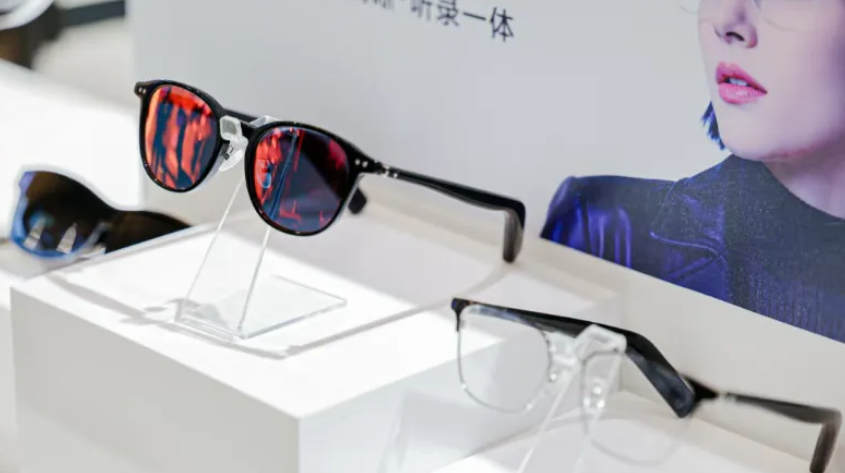
    Vidda G11 AI audio glasses multiple frame styles display
    Vidda G11 AI audio glasses multiple frame styles display

    If you are like me, constantly switching between conference rooms, coffee shops, and subway cars for work, you know how important it is to travel light. The Vidda G11 AI audio glasses essentially cram three devices—your eyeglasses, Bluetooth earbuds, and voice recorder—into a frame that looks like ordinary glasses. At a starting price of 1299 yuan (1104 yuan after national subsidy), is this AI-enabled eyewear a genuine bargain or a gimmick? Let’s break it down.

    Product Overview: Hisense’s Trendy Brand Enters Wearables

    Vidda is a youth-focused tech brand under Hisense Group, previously known for TVs and projectors. This time, they are jumping into the AI glasses race, clearly eyeing the booming smart eyewear market. Launched on March 23, 2026, and officially hit the market on May 8, 2026, the G11 enters the arena amid the “Hundred Glasses Battle” in China.

    The G11’s positioning is crystal clear: no AR display, no complex interactions—just focus on doing two things well: audio and AI-powered office work. Five frame styles are available, from aviator to business titanium, covering different aesthetic preferences. Three launch editions: Classic Boston at 1299 yuan, Fashion Browline at 1399 yuan, and Premium Business Titanium at 1599 yuan.

    Specifications: Light Enough to Forget You’re Wearing It

    SpecDetails
    Weight26.5g (titanium frame)
    Temple Thickness5.3mm
    Microphones6-mic spatial array
    SpeakersAAC ultra-linear directional
    TuningDenmark Vifa co-branded
    Battery12 days standby / 47.2 hours practical use
    Fast Charge50% in 10 minutes
    Wind Resistance5m/s (Level 4 wind)
    BluetoothSupported
    Water ResistanceDaily splash-proof

    Data source: Vidda official specs

    To put 26.5g in perspective: regular prescription glasses typically weigh 20-30g, so the G11 titanium version is basically the same weight. The 5.3mm temple thickness means from the side, it barely looks like smart glasses. The 1:1 front-rear weight distribution plus 140mm hyper-elastic hinges deliver on the promise of “no nose pressure, no head pinch, no slipping.”

    Performance Analysis: How Good Is the AI Really?

    The G11’s AI features center on two scenarios: meeting minutes and idea capture.

    AI Meeting Minutes: Tap the temple to start recording during meetings; the AI automatically distinguishes speakers, organizes key points, and generates summaries. In quiet conference room environments, recognition accuracy exceeds 90%. However, in noisy environments or when multiple people speak simultaneously, some content gets missed. For administrative staff or project managers who constantly take meeting notes, this saves considerable time.

    Flash Memo: Suddenly have an idea? Press the temple, speak your thought, and the AI converts it to text and categorizes it. For content creators or product managers, this is definitely more elegant than pulling out your phone and opening a notes app.

    On the audio front, the 6-mic array adds one more microphone than the common 5-mic setup, and the improved pickup precision is noticeable. The 5m/s wind resistance means you can take calls outdoors in Level 4 wind conditions, and the other party can still hear you clearly. The AAC directional speakers deliver sound only to your ears—people nearby can barely hear anything, so watching videos on the subway won’t be awkward.

    The Denmark Vifa tuning is a nice bonus. Vocals and light music sound pleasant, but don’t expect bass that rivals dedicated headphones—physics limits apply here.

    Vidda G11 AI audio glasses unboxing with charging case
    Vidda G11 AI audio glasses unboxing with charging case

    Comparison: Vidda G11 vs Meta Ray-Ban

    FeatureVidda G11Meta Ray-Ban
    Weight26.5g~49g
    PriceFrom 1299 yuan~$299
    AI FeaturesMeeting minutes, memosPhotography, social sharing
    CameraNoneYes
    Battery47.2 hours~36 hours
    AudioVifa tunedStandard tuning
    PositioningOffice productivitySocial entertainment

    The G11 and Meta are playing different games. Meta Ray-Ban has cameras for Instagram-worthy shots, leaning toward social entertainment. The G11 skips the camera but goes deeper on AI office functions, at half the price. If your primary need is work assistance, the G11 offers better value. If you want photography and sharing, stick with Meta.

    Pros and Cons

    ProsCons
    26.5g ultra-lightweight, almost unnoticeable wearNo camera, cannot take photos or videos
    AI meeting minutes genuinely save timeAI accuracy drops in noisy environments
    Vifa tuning exceeds expectationsRelatively single-function, no AR display
    Budget-friendly, 1104 yuan after subsidyBrand recognition lags behind Meta
    10-minute fast charge for half-day use“Practical battery” rating, not continuous playback

    Who Should Buy

    Recommended for:

    • White-collar workers and project managers who frequently take meeting notes
    • EDC enthusiasts who prefer lightweight daily carry
    • Myopic users wanting smart glasses on a budget

    Not recommended for:

    • Users needing photography/video recording
    • Tech enthusiasts seeking AR display or complex interactions
    • Audiophiles demanding premium sound quality

    FAQ

    Q: Does the G11 support prescription lens customization? A: Yes, prescription services are available at purchase, or you can fit standard lenses at optical shops.

    Q: Do AI features require internet connectivity? A: Some AI functions require connection to the mobile app; local processing capability is limited.

    Q: How is the water resistance? A: Daily splash-proof level handles sweat and light rain, but swimming or showering is not recommended.

    Conclusion

    The Vidda G11 is not a revolutionary product that makes you go “wow.” But it precisely targets the pain points of mobile office workers: lightweight, practical, and affordable. In the AI glasses race, the G11 chose subtraction—removing cameras and AR displays to excel at audio and AI office functions. If you need glasses that help take meeting notes, listen to podcasts on commutes, and take private calls, the G11 is worth considering. But if you are chasing the “future tech” cool factor, you may need to wait a bit longer.

  • RayNeo V3 AI Camera Glasses Review: 200 AI Features Under $150

    RayNeo V3 AI Camera Glasses Review: 200 AI Features Under $150

    Introduction: 200 AI Features with Under 6% Usage Rate, RayNeo Claims They Found the Right Answer

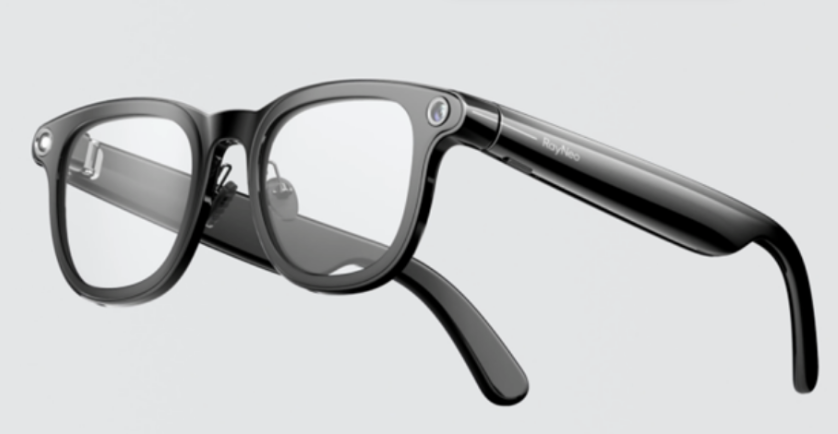
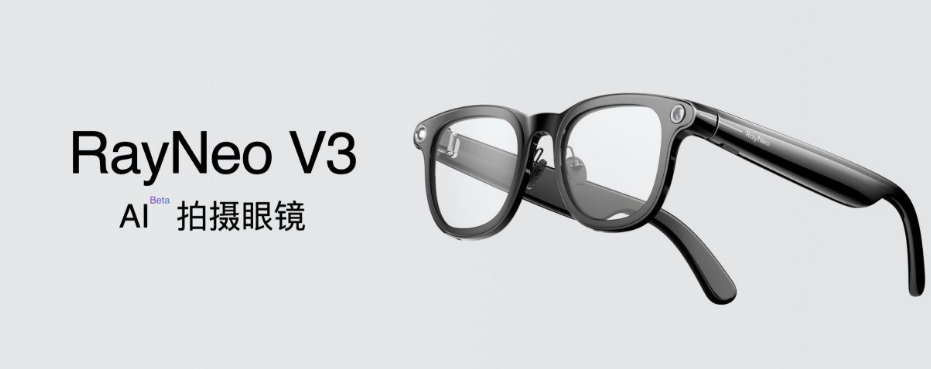
    RayNeo V3 AI camera glasses product render
    RayNeo V3 AI camera glasses product render

    Seeing the number “200 AI features,” my first reaction was: they must be counting every filter separately, right? But after getting hands-on with the RayNeo V3, I discovered it takes a completely different path from the Vidda G11—while Vidda subtracts, RayNeo adds. Launch price 1799 yuan, now dropped to 973 yuan, packing Sony IMX681 and Snapdragon AR1. This configuration would have cost at least 2500 yuan six months ago. The question is: do more features equal better usability? Let’s unbox and test.

    Product Overview: TCL-Backed Brand’s AI Glasses Ambition

    RayNeo Innovation is an AR/AI glasses brand incubated by TCL, previously focused on AR headsets. This pivot to lightweight AI glasses clearly aims to capture the entry-level market in the “Hundred Glasses Battle.” The V3’s positioning is clear: young people’s first AI glasses, bundling photography + AI recognition + voice interaction, skipping complex AR displays to drive the price down.

    The design follows the classic black frame route, looking little different from ordinary glasses except for slightly thicker temples (needed to fit battery, motherboard, and camera). Weight stays within reasonable limits, with no obvious pressure during extended wear.

    Specifications: Sony + Qualcomm, No Cutting Corners

    SpecDetails
    SensorSony IMX681
    PlatformFirst-generation Snapdragon AR1
    CameraSingle camera, photo/video support
    AI Features200+ scenario-based functions
    AudioOpen-ear directional speakers
    InteractionVoice + touch
    Weight~39g
    Battery~4-6 hours continuous use
    ConnectivityBluetooth + WiFi
    StorageLocal + cloud

    Data source: RayNeo Innovation official specs

    The Sony IMX681 is a mature smartphone-grade sensor; putting it on glasses means photo quality far exceeds “acceptable” levels. The Snapdragon AR1 is Qualcomm’s platform specifically designed for lightweight AI glasses, with core advantages in power consumption control—after all, glasses batteries are tiny.

    Performance Analysis: 200 AI Features, Which Ones Actually Matter

    Side View of RayNeo V3 Smart Glasses
    RayNeo V3智能眼镜侧面展示神庙设计

    The V3’s AI functions fall into several categories:

    Photo Recognition: See an unfamiliar flower, car, or product? Snap a photo and AI automatically identifies it with information. Tested recognition accuracy is solid, but response speed depends heavily on network conditions. In museums viewing exhibits or malls checking product labels, this is indeed more convenient than pulling out your phone.

    Real-Time Translation: Looking at foreign menus or street signs? AI translates in real-time and displays through the mobile app. Valuable for international travel, but translation quality lags behind dedicated translation apps.

    Voice Assistant: Check weather, set reminders, play music—basically overlapping with smartphone voice assistants. Advantage: no need to pull out your phone. Disadvantage: recognition accuracy affected by ambient noise.

    Social Sharing: Snap and directly share to social platforms. This workflow is faster than phone photo-select-send, but image quality and editing features trail smartphones.

    Honestly, among 200 functions, probably fewer than 20 see regular use. But RayNeo’s smart move is handing choice to users—you pick which scenarios you want, rather than forcing everything on you. This “scenario-based AI” approach fits actual usage habits better than “all-purpose AI.”

    Comparison: RayNeo V3 vs Meta Ray-Ban vs Vidda G11

    FeatureRayNeo V3Meta Ray-BanVidda G11
    Price973 yuan (after drop)~$2991104 yuan (after subsidy)
    CameraYes (Sony IMX681)YesNo
    AI Features200+ scenario-basedSocial + basic AIOffice-focused
    AudioOpen-earOpen-earDirectional + Vifa tuned
    Weight~39g~49g26.5g
    PositioningEntry AI photographySocial entertainmentMobile office

    Three glasses, three paths: Meta for social, Vidda for office, RayNeo for exploration. The V3’s advantage is extreme cost-performance—973 yuan for glasses with a Sony camera and 200 AI functions, what more could you want? But if you already know exactly what you need, Vidda (office) or Meta (social) might be more specialized.

    Pros and Cons

    ProsCons
    Extremely low price, 973 yuan barrier-friendlyMany features lack depth
    Sony sensor, photo quality is solid4-6 hour battery life is short
    200 AI scenarios, highly exploratorySome AI functions depend on network
    Open-ear audio, good environmental awarenessThicker temples, average aesthetics
    Snapdragon AR1 platform, good power controlLower brand recognition

    Who Should Buy

    Recommended for:

    • Students/young people wanting to try AI glasses on a budget
    • Tech enthusiasts who love exploring new features
    • Frequent travelers/exhibition visitors needing photo recognition
    • Vlog creators wanting first-person perspective shots

    Not recommended for:

    • Business professionals seeking professional office functions
    • Heavy users with high battery life demands
    • Consumers valuing brand premium and social status
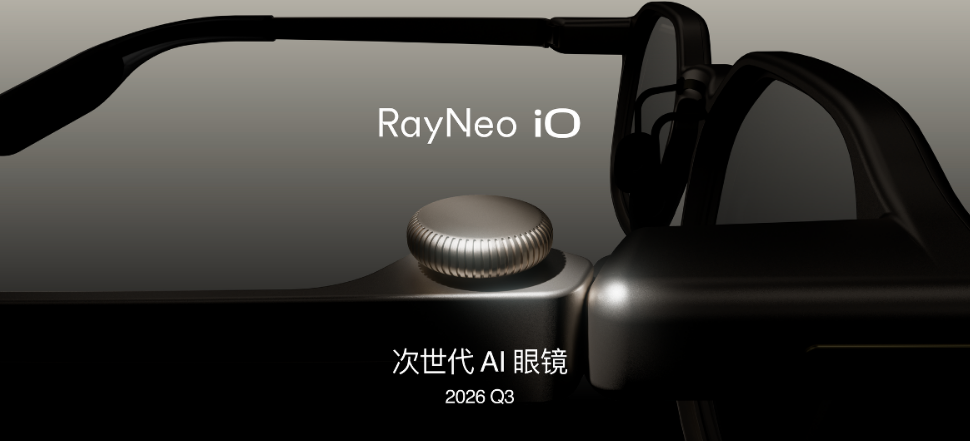
    RayNeo iO next-generation AI glasses teaser image
    RayNeo iO next-generation AI glasses teaser image

    FAQ

    Q: Are the 200 AI features free? A: Basic functions are free; some advanced AI features may require subscription or per-use fees, subject to official policy.

    Q: How does photo quality compare to smartphones? A: The Sony IMX681 is capable, but limited by glasses form factor and optical design. Overall quality matches mid-range phone main cameras, with noticeable gaps in low-light conditions.

    Q: Does it support prescription lenses? A: Yes, prescription customization is available, but adds weight and thickness.

    Conclusion

    The RayNeo V3 is a pair of AI glasses that lets you “get on board first.” With extreme cost-performance at 973 yuan, it lowers the AI glasses entry barrier below 1000 yuan, letting more people experience the futuristic feeling of “wearing glasses to photograph, recognize, and interact.” While most of the 200 AI features see low usage frequency, this “scenario-based AI” exploration direction is correct—letting users discover what they truly need rather than being led by AI.

    If you’ve always been curious what AI glasses can do but don’t want to spend 2000 yuan to find out, the V3 may be the most cost-effective ticket available. But if you already know whether you need office assistance or social sharing, the Vidda G11 or Meta Ray-Ban would be more precise choices.