Rating: 8/10 (Pre-Production Preview)
Introduction: When Five Thousand Years of Writing Wisdom Meets AI
Humans carved stone for three millennia, wrote on paper for two, and have typed on keyboards for merely four decades. Now the Cuneflow team asks a different question: what if AI did not interrupt your thinking, but guarded the temple where it happens?
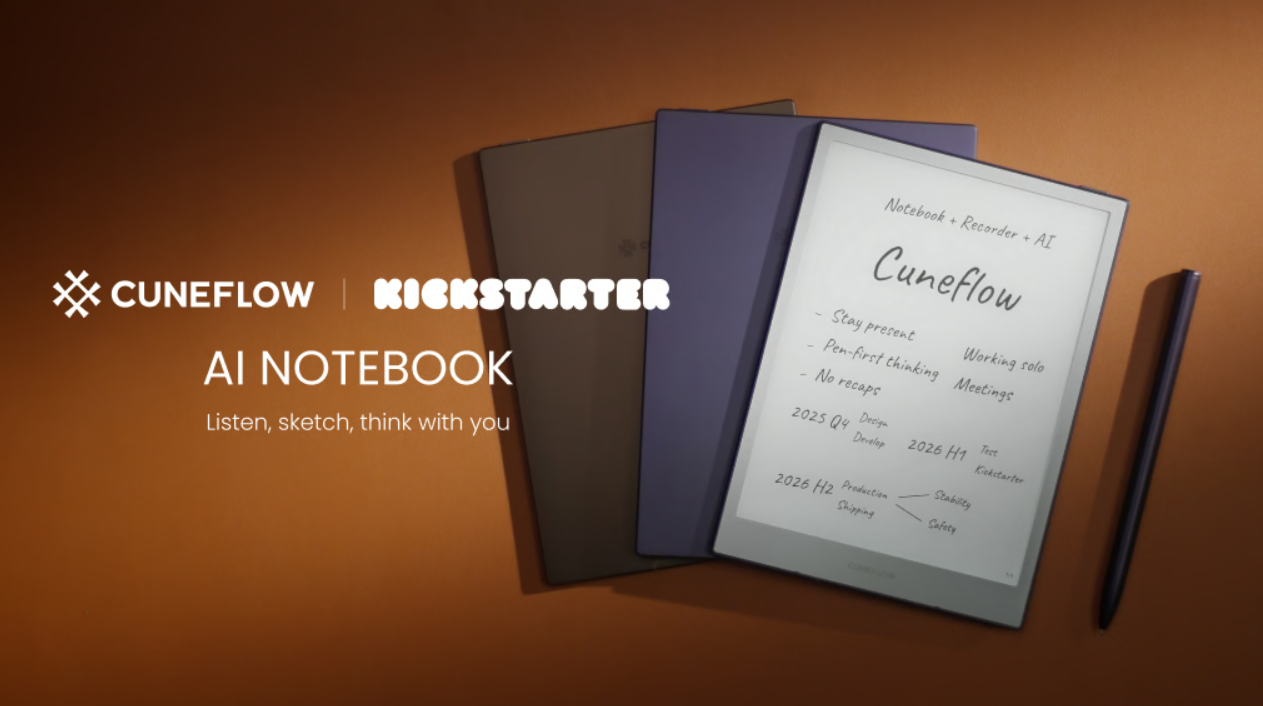
The Cuneflow AI Notebook is launching soon on Kickstarter. This is not another “iPad killer.” It is a temple built for thinkers—E-Ink display, ceramic nib, real-time voice transcription, and AI-powered insight generation, all packed into a body lighter and thinner than an iPad mini.
Product Overview: Handwriting Is Sacred, AI Is Invisible
Cuneflow’s core belief is disarmingly simple: handwriting is a cognitive anchor. In an age of screen bombardment and endless notifications, the act of writing by hand quiets the noise, deepens focus, and helps you process information rather than merely receive it.
On the hardware side, Cuneflow sports a 300 PPI A5 E-Ink display with adjustable front light. The ceramic nib requires no replacement tips. Hard and fine, it produces a satisfying scratchy texture on the screen—not slippery glass, but textured paper.
The entire unit is lighter and thinner than an iPad mini, paired with a leather-like folio case that closes magnetically and secures the stylus during transport. This is not a toy. It is a serious tool you actually want to carry.
Killer Feature #1: The Meeting Trinity—Notes, Transcript, Insight
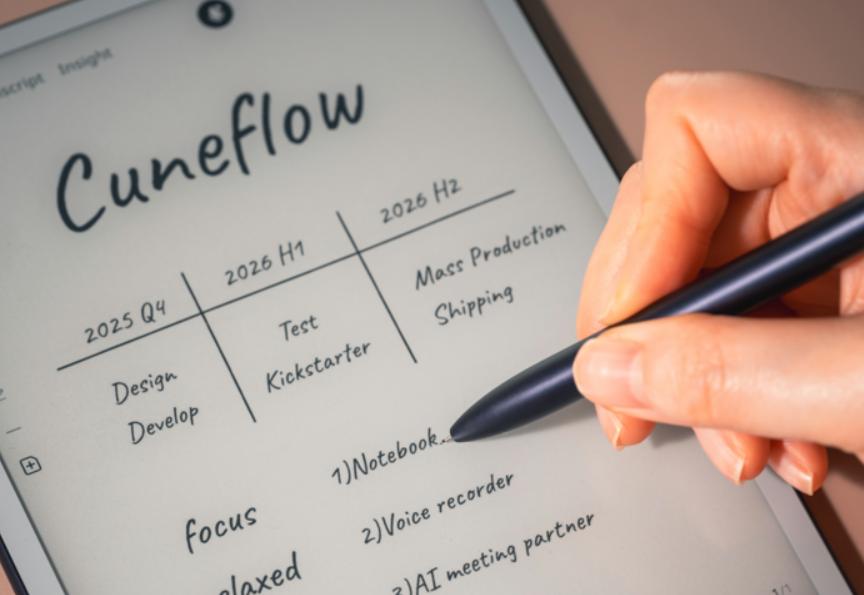
Cuneflow’s interface is ruthlessly minimal: just two main tabs, Meetings and Files. Create a new meeting and a three-panel workspace unfolds:
- Notes: A handwriting canvas. Currently supports fountain pen and marker tools, with lasso selection and undo/redo. Selected content can be copied, erased, flagged as a section heading, or sent to AI for explanation.
- Transcript: Real-time voice transcription. Automatically segmented by topic. Recognition speed is “reasonably fast and surprisingly accurate.” Can be set to auto-record when a meeting begins, or triggered manually.
- Insight: Where AI processing happens after the meeting concludes. The system auto-generates summaries, timelines, to-do lists, decisions, disagreements, risks, and key questions. A chat interface allows custom prompts, with AI drawing from all source materials—handwritten notes, voice transcripts, and imported files.
Engadget’s hands-on test noted: “The transcription appeared pretty instant and surprisingly accurate.”
Killer Feature #2: Privacy-First, Data Leaves No Trace
The biggest concern with AI devices? Your meeting recordings being used to train models.
Cuneflow’s response is direct:
- Data sent for AI processing is not stored
- It is deleted immediately after processing
- It is not used to train language models
Audio is encrypted and piped to the cloud (using OpenAI and Gemini as underlying tools). Once transcription is complete, the original recording is wiped, leaving only the AI-generated text. On the Insight tab, you can trace the origin of each conclusion to verify whether the system hallucinated.
Killer Feature #3: Zero-Distraction Design, Politely Present
Cuneflow’s design philosophy is “polite, human-centered”—in face-to-face meetings, handwriting replaces laptop typing, maintaining eye contact and signaling respect and engagement.
No pop-up notifications. No social media. No browser tabs. Just you and your notes, with AI running silently in the background. Technology becomes “warm” and invisible, supporting your thinking rather than interrupting it.
Specs Comparison: Cuneflow vs reMarkable vs iFLYTEK
| Feature | Cuneflow AI Notebook | reMarkable Paper Pro | iFLYTEK AINOTE Air 2 |
|---|---|---|---|
| Display | 300 PPI A5 E-Ink | CANVAS color E-Ink | 8.2″ E-Ink |
| Stylus | Ceramic nib (no replacement) | Marker Plus | Wacom EMR |
| Voice Transcription | ✅ Real-time + AI segmentation | ❌ Not supported | ✅ Real-time + multilingual |
| AI Insights | ✅ Summary / Tasks / Risks / Decisions | ❌ None | ✅ Summary + translation |
| Workflow Sync | Notion / Slack / 365 / Google | Limited third-party | Limited third-party |
| Subscription | Unknown (PRO membership) | Connect $2.99/month | Unknown |
| Price | $399 (early bird $20 deposit + $379) | $629 | ~$400-500 |
Cuneflow’s differentiation is clear: reMarkable is pure digital paper. iFLYTEK is a transcription tool. Cuneflow is the trinity of handwriting + voice + AI insight, deeply integrated with modern workflows.
Caveats to Note
As an E-ink pre-production device, limitations exist:
- Export functionality not yet complete: ewritable’s test found that AI-generated articles could not be transferred from the device to a computer—”a nicely written article sitting on the device itself, couldn’t actually transfer it.”
- Limited pen tools: Currently only fountain pen and marker, fewer than reMarkable’s offerings.
- Web App incomplete: Custom AI outputs are not yet accessible via the web interface, only handwritten notes, voice transcripts, and some AI summaries.
- Bare-bones reader: PDF import works, but the default reading app is “very bare bones.”
- Delivery timeline unconfirmed: The official statement only mentions “launching soon on Kickstarter.” Specific mass production and delivery schedules have not been announced.
These are acceptable at the crowdfunding stage, but the firmware update roadmap and official delivery commitments warrant close attention.
Audience Analysis: Who Should Watch Cuneflow?
Highly Recommended For:
- Consultants, bankers, and product managers averaging 2+ meetings daily
- Legal and financial professionals requiring compliant meeting archives
- Remote teams relying on async communication across time zones
- Workplace professionals tired of “typing on a laptop is rude” but who must take notes
Consider Waiting If:
- You are a pure creative (designer/writer) not needing structured meeting output
- You are a minimalist (reMarkable’s pure writing experience suffices)
- You are budget-sensitive ($399 early bird confirmed, MSRP not yet announced)
Future Outlook: From Crowdfunding to Workflow Infrastructure
Cuneflow’s ambition extends beyond hardware sales. The 6-month free PRO membership hints at a subscription model—advanced AI models, larger cloud storage, team collaboration spaces.
If delivery goes smoothly, Cuneflow could become workflow infrastructure for the meeting scene: pre-meeting material prep, real-time capture during, automatic archiving and Notion/Slack sync afterward. This is not merely a device. It is a thinking operating system.
The Kickstarter campaign page is going live soon. A $20 deposit secures early-bird pricing. For knowledge workers drowning in meetings daily, this may be the most anticipated office gear of 2026—but remember, all feature promises require final hardware validation before a crowdfunding product ships.
Bottom Line: The most thoughtfully designed AI-powered handwriting device for meeting-centric professionals. Not yet perfect, but the vision is clearer than competitors.
Leave a Reply