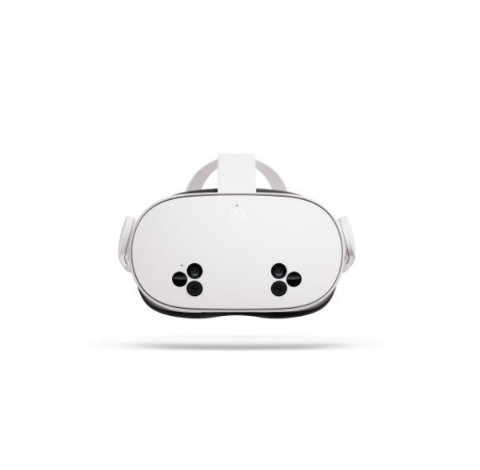
Rating: 8.5/10
The 2026 AI glasses market is an arms race. Meta Ray-Ban hit $299, Rokid squeezed waveguides into 28g, and 31 new products debuted at CES. While everyone was adding features, Moonix did something counterintuitive — it cut weight to 14.9g.
This isn’t a concept. It’s mass production data. At 14.9g, Moonix approaches the weight of regular titanium glasses (12-15g). The physical boundary between “wearing glasses” and “wearing a device” disappears.
Product Overview
Moonix, from Xinmu Technology (Hangzhou), launches in June 2026 (standard), August 2026 (Pro):
| Parameter | Standard | Pro |
|---|---|---|
| Weight | 14.9g | 19.9g |
| Optics | 0.03cc engine + holographic waveguide | Same |
| Lens Thickness | 1.8mm | 1.8mm |
| FOV | 15-18 degrees | 15-18 degrees |
| AI Chip | M1 on-device (3B params) | M1 on-device (3B params) |
| Camera | None | Yes |
| Microphones | Six-array | Six-array |
| Release | June 2026 | August 2026 |
Source: Moonix Official Launch
Technical Analysis
0.03cc Optical Engine: Rice-Grain Engineering
Moonix’s core optical solution is a self-developed 0.03cc micro-engine weighing under 0.1g. Mainstream AR engines range 0.5-2cc — Moonix compressed two orders of magnitude.
Volumetric holographic waveguide technology is the key choice. Compared to waveguides and Birdbath solutions, it finds a better balance in thickness, weight, and light transmission. The 1.8mm lens thickness is far below the 3-5mm of traditional AR glasses.
The cost is FOV compressed to 15-18 degrees, display area roughly equivalent to an A4 sheet at 3 meters. Moonix abandoned “immersive AR” — no virtual big screen, no spatial anchoring, no gesture interaction. It does one thing: quietly placing key information in the corner of vision when needed.
M1 On-Device AI Chip: Privacy First
Moonix features the self-developed M1 inference chip supporting local 3B-parameter LLM operation. Core AI functions need no network connection; privacy data never leaves the device.
Unlike competitors’ passive-response AI, Moonix is proactive — using six-array microphones and environmental sensors to continuously understand context in the background, anticipating and pushing information. Example: during meetings, it automatically identifies content, generates real-time summaries in the lens corner, and syncs to Slack/Teams afterward.
Unverified hypothesis: How accurate is proactive AI’s “anticipation”? If it pushes wrong information at wrong times, it’s more annoying than no push at all. This is the experience minefield requiring verification post-launch.
The Camera Controversy
Moonix standard edition has no camera; Pro (19.9g) adds it back. The official explanation: “We don’t want users wearing devices that might record others in elevators” — ethics over function.
But no camera means abandoning the entire visual AI track: no object recognition, no QR scanning, no photos, no livestreaming. This “standard without camera, Pro with camera” segmentation raises questions: genuine ethical consideration, or pricing strategy?
Performance Analysis
Wearability: Imperceptible
14.9g achieves truly imperceptible wear. Comparison: Meta Ray-Ban ~49g, Rokid Glasses ~28g. Moonix feels closer to regular glasses than electronic devices.
Display: Sufficient
15-18 degree FOV readability in bright light needs verification. Holographic waveguide solutions have inherent challenges in text clarity and brightness. Adequate for notifications, navigation, translation — but limited for long text reading or video watching.
AI Interaction: Innovative but Unverified
Proactive AI’s concept is advanced, but effectiveness depends on scene recognition accuracy. In complex scenarios — noisy restaurants, multi-person meetings, fast walking — the M1 chip’s recognition capability requires real-world testing.
Competitor Comparison
| Feature | Moonix Standard | Meta Ray-Ban | Rokid Glasses | JOVE S1 |
|---|---|---|---|---|
| Weight | 14.9g | ~49g | ~28g | ~35g |
| Price | TBD | $299 | ¥2499 | ¥1999 |
| Display | Holographic waveguide | None | Optical waveguide | Optical waveguide |
| AI Type | Proactive on-device | Passive cloud | Passive cloud | Passive cloud |
| Camera | None | Yes | Yes | Yes |
| Battery | TBD | ~4hrs | ~3hrs | ~3.5hrs |
Moonix’s differentiation is “weight as selling point” — the only brand making lightweight its core competency.
Pros and Cons
| Pros | Cons |
|---|---|
| 14.9g world’s lightest, imperceptible wear | 15-18 degree FOV, limited display |
| Proactive AI, anticipates needs | Anticipation accuracy unverified |
| On-device AI, privacy data stays local | No camera, abandons visual AI |
| Holographic waveguide, 1.8mm lenses | Bright light readability uncertain |
| Six-array microphones, precise pickup | Battery life undisclosed |
Who Should Buy
Recommended for:
- Daily users pursuing ultimate wear comfort
- Privacy-conscious users avoiding cloud data
- Business professionals needing discreet AI assistance
- First-time adopters transitioning from regular glasses
Should Skip:
- Users needing photo/object recognition/visual search (choose Pro or other brands)
- Players seeking immersive AR experiences (choose JOVE or Rokid)
- Budget-sensitive users (await price announcement)
Conclusion
The Moonix AI Glasses are a product of “smart subtraction.” It precisely trims configurations minimally impacting entry users (camera, large FOV, immersive AR) while preserving core elements determining experience floor (weight, proactive AI, privacy protection).
14.9g is not just engineering marvel — it’s a product philosophy declaration: AI glasses must first be “glasses,” then “AI.” When technology becomes light enough to forget, it truly integrates into life.
Can Moonix become the “AirPods” of AI glasses — redefining the category through experience rather than specs? The answer will come after June launch.